Combine two images: overlay one photo on another
To combine two images, open the first photo, add the second with File → Place Image or Project…, and fit it with Free Transform. Both stay on separate layers, so size, opacity and blend mode remain editable.
- Second photo as a layer
- 27 blend modes
- Masks for a soft seam
- Nothing to install
- Opens
- JPG
- PNG
- WebP
- GIF
- BMP
- TIFF
What you can make by combining two images
Product photo with a logo
A transparent PNG on its own layer, shrunk with Free Transform.
Two-photo collage
The shots side by side or overlapping along the horizon.
Double exposure
A portrait over a landscape in Screen or Soft Light, opacity pulled down.
Real estate flyer
An exterior shot as the base and a floor plan on top at half opacity.
How to combine two images
Open the first photo
Choose the base picture. It arrives as the Background layer and sets the canvas size.
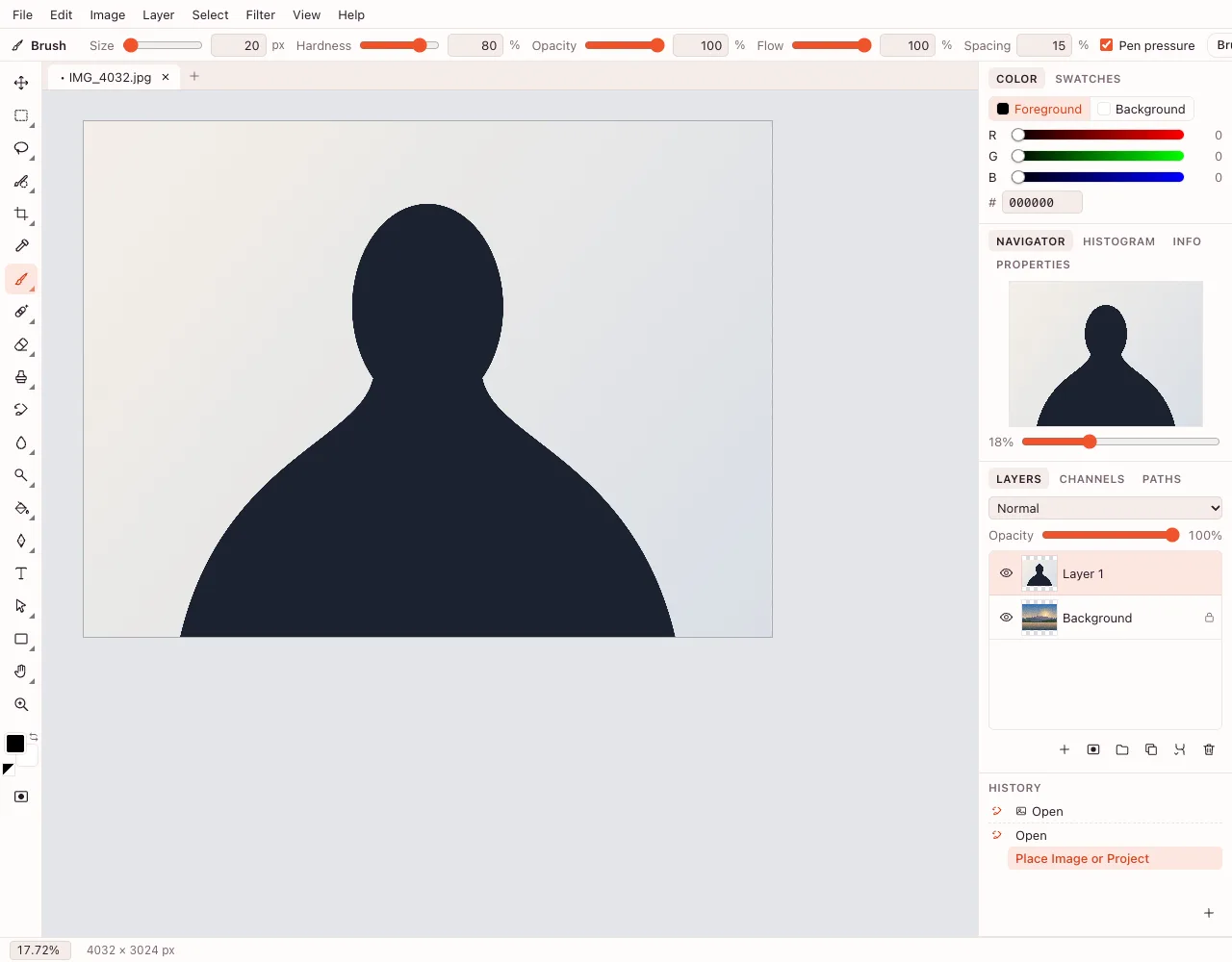
Place and fit the second
File → Place Image or Project… adds it on a new layer. Free Transform (⌘T) resizes and rotates, Shift keeps proportions, Alt scales from the center, and Move (V) positions it.
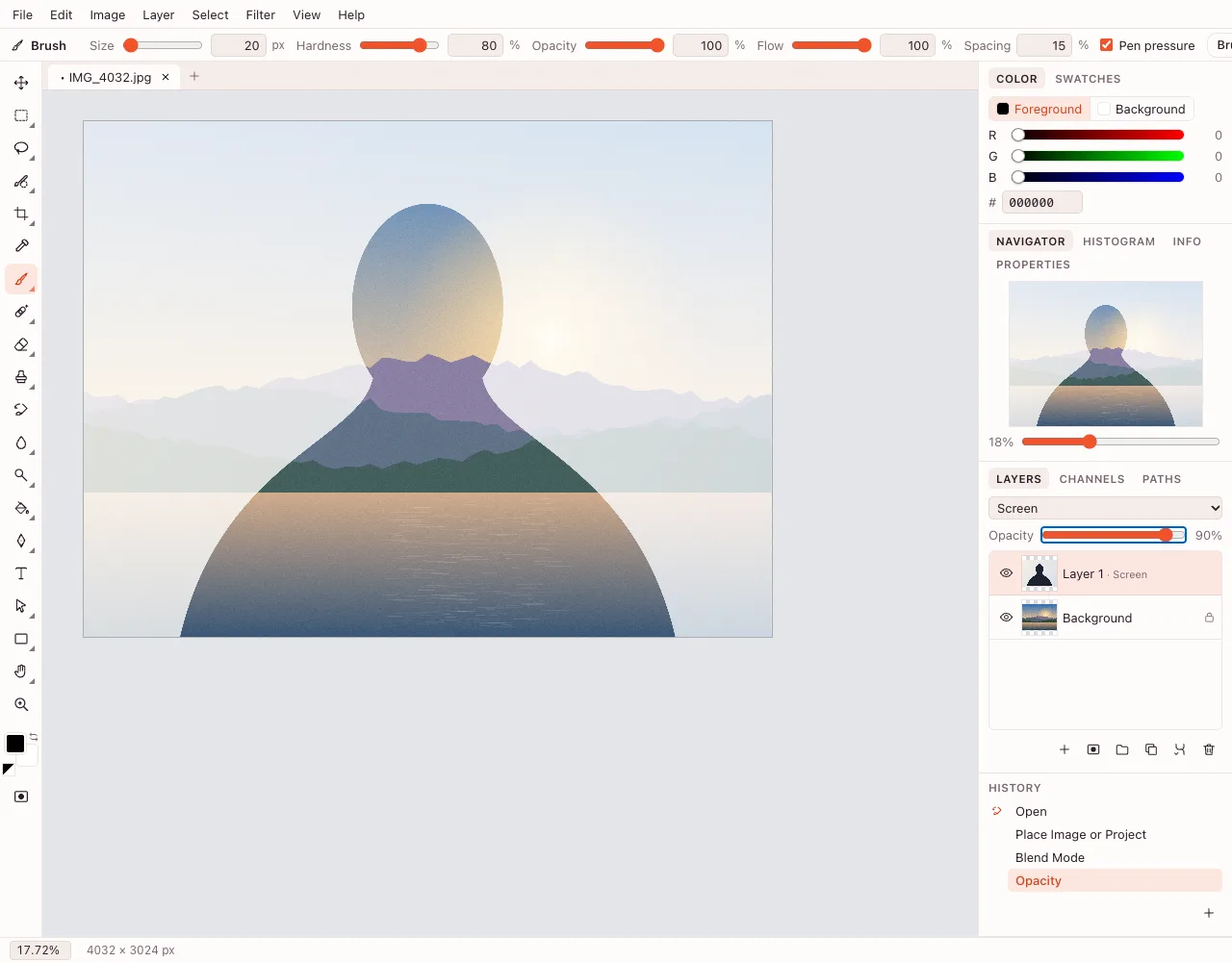
Blend the seam and export
Add Layer → Layer Mask → Reveal All and paint black to hide, white to restore. File → Export As… saves PNG, JPEG or WebP.
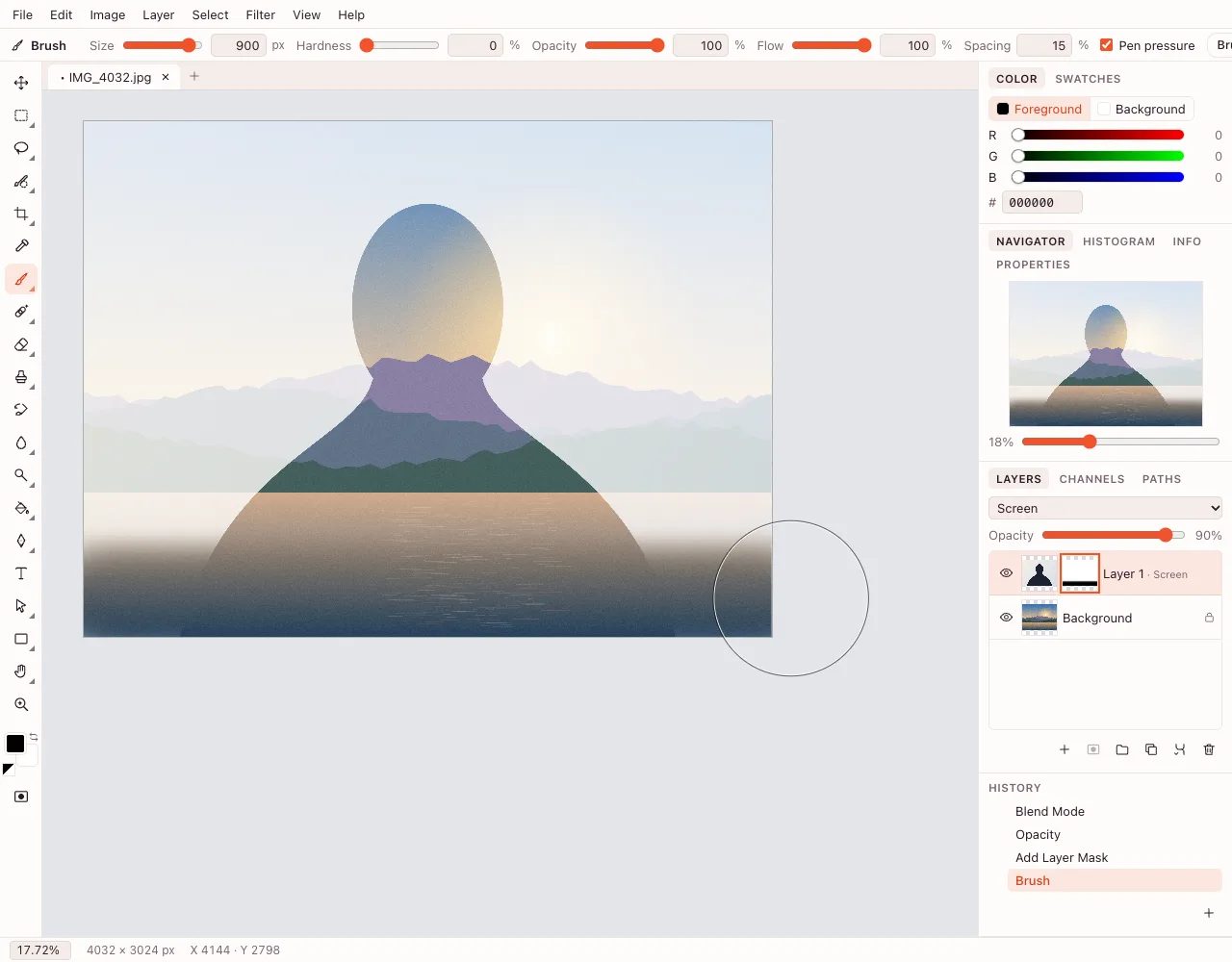
How do I overlay images and keep the bottom photo visible?
Lower the top layer's Opacity. At 50–70% both photos show through, which suits soft overlaps and double exposures. A transparent PNG lets the base show without masking.
How do I put an image on another image and move it later?
Place it as a layer. The top photo keeps its own row in the Layers panel, so Move, Free Transform and opacity still work. Save as a .photo project to keep the stack; a PNG or JPEG flattens it.
Can I add an image on an image and mix the colors?
Yes. Choose a blend mode for the top layer: Multiply darkens, Screen lightens, Overlay raises contrast, Soft Light tints. There are 27 modes; ⇧+ and ⇧− step through them.
How do I combine two images into one file?
Choose File → Export As… and save PNG, JPEG or WebP. Merge Visible first for a single layer; Flatten Image also works but discards the stack. PDF is not an export format here. Add a caption with add text to photo before exporting.
Features for combining images
| Control | What it does | Where it lives |
|---|---|---|
| Place Image or Project… | Adds the second photo as a layer | File menu |
| Free Transform (⌘T) | Resizes and rotates the top layer | Edit menu |
| Opacity | Makes the top photo see-through | Layers panel |
| Blend mode | Mixes color and light; 27 modes | Layers panel |
| Layer mask | Hides parts of the photo with a brush | Layer → Layer Mask |
Is it private?
The document is edited in the browser. Cloud saving starts after sign-in and follows the edition's GDPR rules; downloading needs no account.
Questions and answers
Support: [email protected]
How do I combine two images into one?
Open the first photo, then choose File → Place Image or Project… and pick the second. Resize it with Free Transform, set opacity or a blend mode, and export as PNG, JPEG or WebP.
How do I overlay images on an iPhone?
Open the page in Safari, pick the first photo and use File → Place Image or Project… for the second. Drag the top layer with a finger, resize it with the Free Transform handles, then save to Photos or Files.
How do I make a double exposure?
Place a portrait over a landscape and set the top layer to Screen or Soft Light. Pull the opacity down until the face stays readable, then paint on a mask to remove anything distracting.
How do I remove the hard edge between two photos?
Add a layer mask with Layer → Layer Mask → Reveal All and paint it with a soft black brush along the border. The images blend gradually; switch to white to restore a part you hid.
Can I combine two images into a PDF?
No, PDF is not an export format here. The editor saves PNG, JPEG, WebP, BMP, GIF and TIFF. Export the composite as PNG or JPEG and place that image where the PDF is needed.
Do the layers survive after saving?
Only in a .photo project. PNG, JPEG, WebP, BMP, GIF and TIFF store a flattened picture, so the top photo can no longer be moved on its own. Keep the .photo copy for later edits.
Is it free, and is there a watermark?
The editor is free and adds no watermark. Start without an account; signing in is only needed for cloud saving. No card is required, and the finished image downloads to your device either way.
Related tools
Layers online
Build a photo from layers, groups and masks, and keep them in a .photo project.
Add text to photo
Type a caption on a photo, style it, and save the image.
Remove background
Cut the subject out of a photo with AI and download a transparent PNG.
Blur background
Blur a whole photo in one step, or blur only the background in the editor with a selection and a blur filter.
Online photo editor
Edit photos in your browser: layers, masks, brushes, retouching, adjustments, filters and text.
Crop photo
Crop a photo to the ratio you need and download it without leaving your browser.
Resize image
Resize an image to exact pixels or a percentage and download it from your browser.
Black and white filter
Convert a colour photo to black and white in the browser, then download it or fine-tune the tones in the editor.
WebP to JPG
Convert a WebP or PNG image to JPG in the browser and download the file to your device.
Combine two images: overlay one photo on another
Place a second photo on its own layer and blend it into the first.
Open the editor